Projects
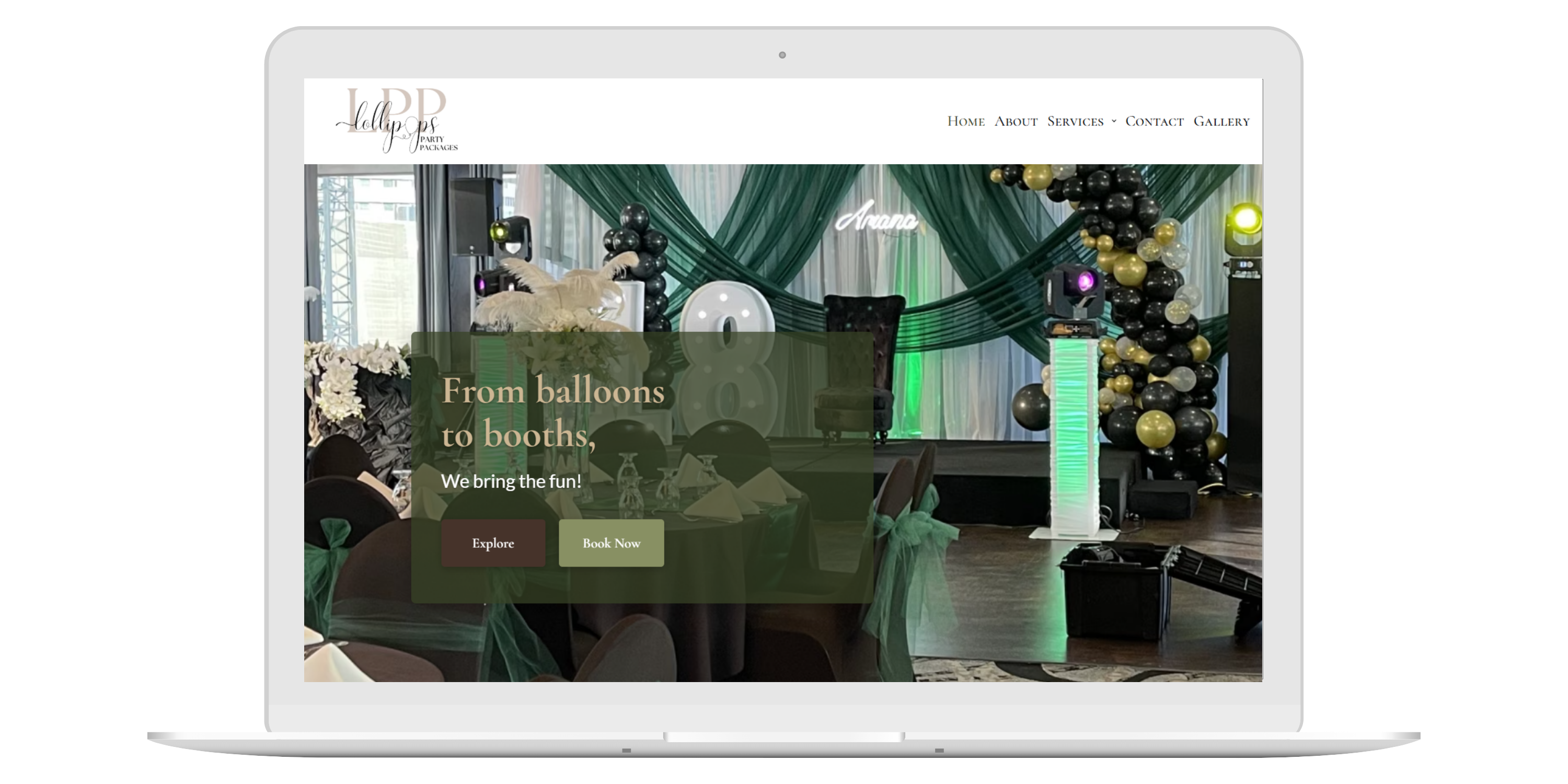
Lollipops Party Packages
Capstone Project
As a team, we developed a modern, responsive website for Lollipops Party Packages, a business offering party rentals, balloon designs, event decorations, themed party packages, and photobooth . The website was designed to enhance user experience, streamline content management, and improve search engine visibility. My contributions focused on UI/UX design, wireframing, SEO, and content management using Advanced Custom Fields.
- UI/UX Designer: Designed moodboards to define the visual style, colors, typography, and imagery. Created low and high fidelity wireframes to plan the website's layout and user flow.
- SEO: Implemented SEO strategies by optimizing headings and metadata to improve search engine rankings
- Figma: Design and prototyping.
- HTML, CSS, JavaScript, WordPress, Advanced Custom Fields (ACF): Web development. Built and styled the website with interactive features.
- SEO, Google Analytics, Google Search Console: Tracked visitors and improved search engine rankings.
Passive Income Printables
SEO & Marketing
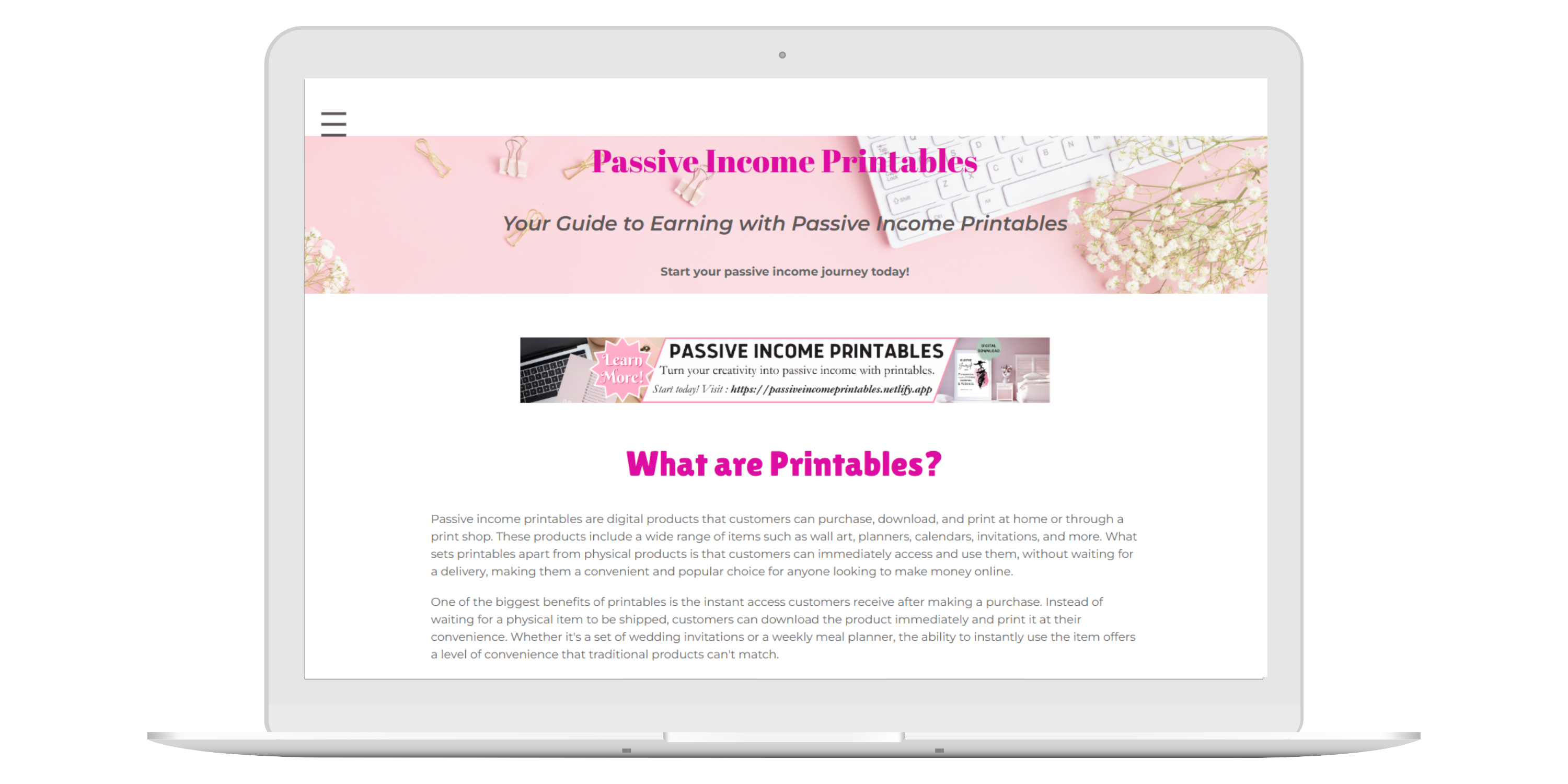
In this individual project, I developed a modern, niche marketing website using HTML, focused on enhancing user experience, SEO strategy, and keyword research. Integrated Google Search Console and Google Analytics to track performance, optimize content, and boost search visibility for a printable digital products business. Explored strategies including social media marketing and community building, while addressing privacy laws, copyright compliance, and website traffic analysis to drive traffic and improve overall performance.
- SEO: Applied SEO strategies, used social media marketing to build traffic and a community, ensured privacy and copyright compliance, and analyzed traffic for better conversions.
- UI/UX Designer and Web Developer: Designed a simple, user-friendly website that works on all devices, focusing on user engagement.
- HTML, CSS, JavaScript: Built and styled the website with interactive features.
- SEO, Google Analytics, Google Search Console: Tracked visitors and improved search engine rankings.
Challenges & Process: The main challenge was balancing SEO, marketing, design, and content. I focused on using SEO to attract visitors, ensuring privacy compliance, and using data to improve conversion rates.
Outcomes: This project taught me how to create a website that attracts visitors and turns them into customers. I gained experience with SEO, marketing, and analyzing data, which will be useful for future web projects.
The Travel Destination Catalogue
Advanced PHP/MySQL Web Application
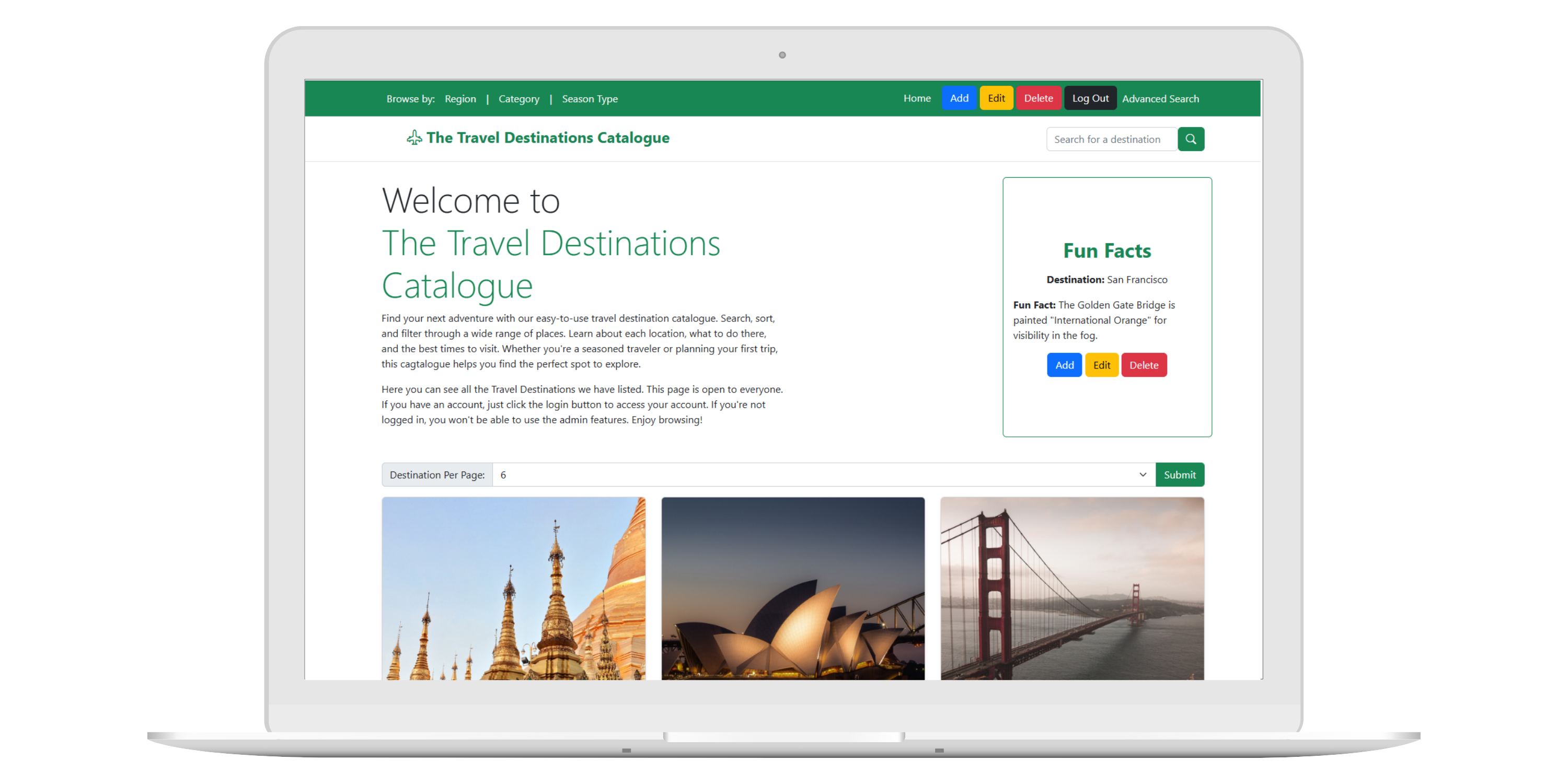
This project is a dynamic Travel Destination Catalogue web application that allows users to explore travel destinations. The application supports keyword searching, multi-criteria filtering, pagination, and detailed destination views. It also includes a secure admin dashboard were authenticated users can manage catalogue content. This project covers database development, authentication, dynamic queries, and user-focused interface design. prepared statements, dynamic queries, and user-centered interface design.
- PHP & Back-End Developer: I designed the relational MySQL database and built dynamic search, filtering, and pagination using PHP. All database interactions were secured with prepared statements to prevent SQL injection. I developed a session-based admin authentication system with hashed passwords and implemented full CRUD functionality for destinations and fun facts.
- Full-Stack Web Developer:I created a responsive, mobile-first interface using Bootstrap and semantic HTML. I developed advanced search functionality that combines keywords and filters, designed detailed single-destination views, implemented JavaScript confirmation prompts, and handled image uploads and metadata storage.
- HTML, Bootstrap: Semantic markup and responsive design.
- PHP & MySQL: CRUD operations, prepared statements, dynamic SQL queries.
Cappadocia
Responsive Website Using DaisyUI
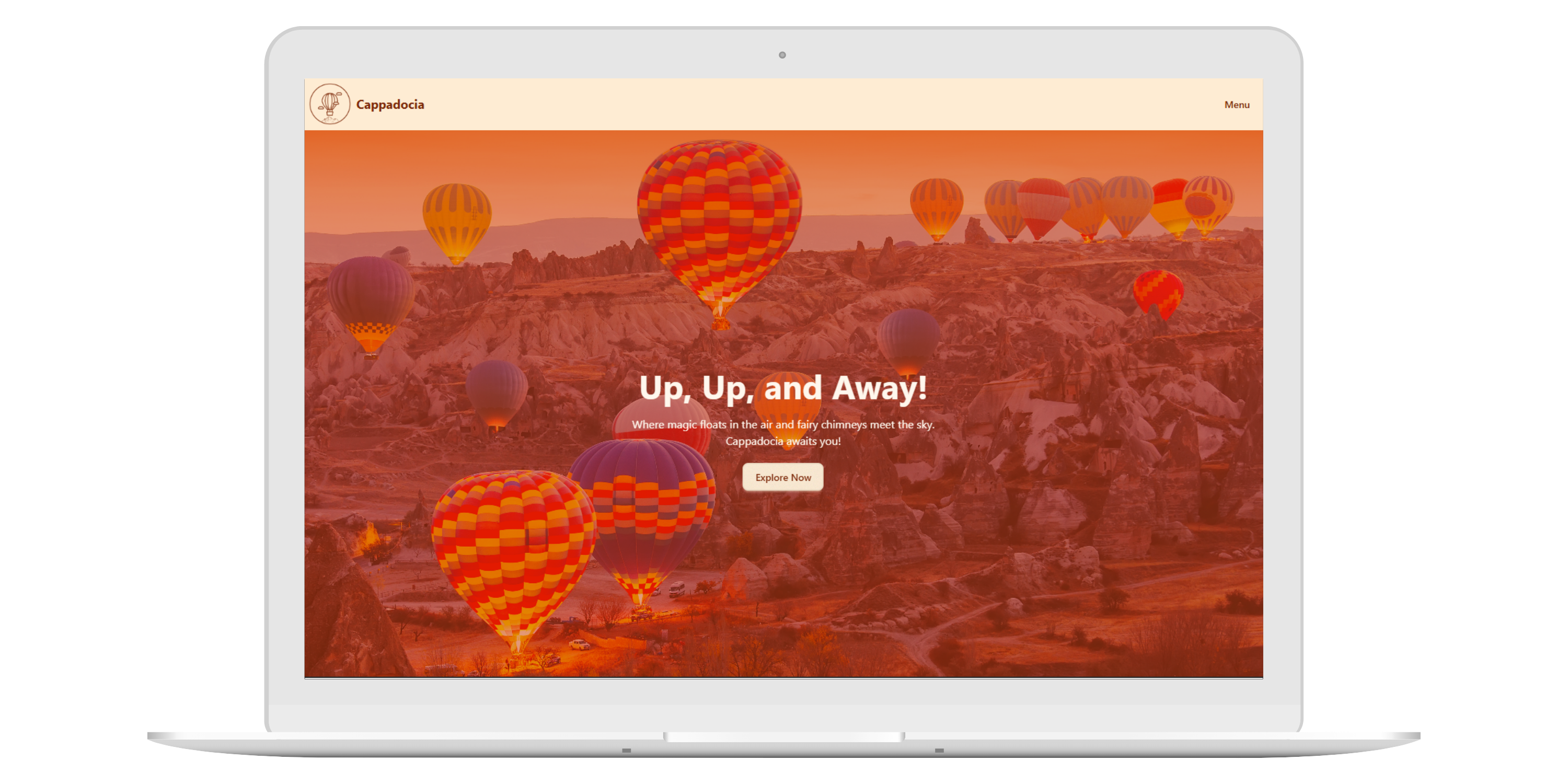
Cappadocia is a responsive, mobile-first website built using DaisyUI (a Tailwind CSS component library). The project includes three fully developed pages and demonstrates practical understanding of modern UI components, responsive layouts, and structured design systems. The site features subtle but fun CSS animations to create an interactive experience for users browsing the content.
- Front-End Developer: I designed and implemented the website using DaisyUI components, combining them with custom CSS animations for visual appeal.
- UX Designer: I focused on mobile-first design, ensuring smooth interactions, readable content, and a consistent navigation scheme that made the site easy and enjoyable to use.
- HTML & DaisyUI: Structured content and styled the site using reusable components for a consistent look.
- CSS Animation:Added subtle effects to make the site feel dynamic without distracting the user.
Querying Pokedex
SQL & MySQLi
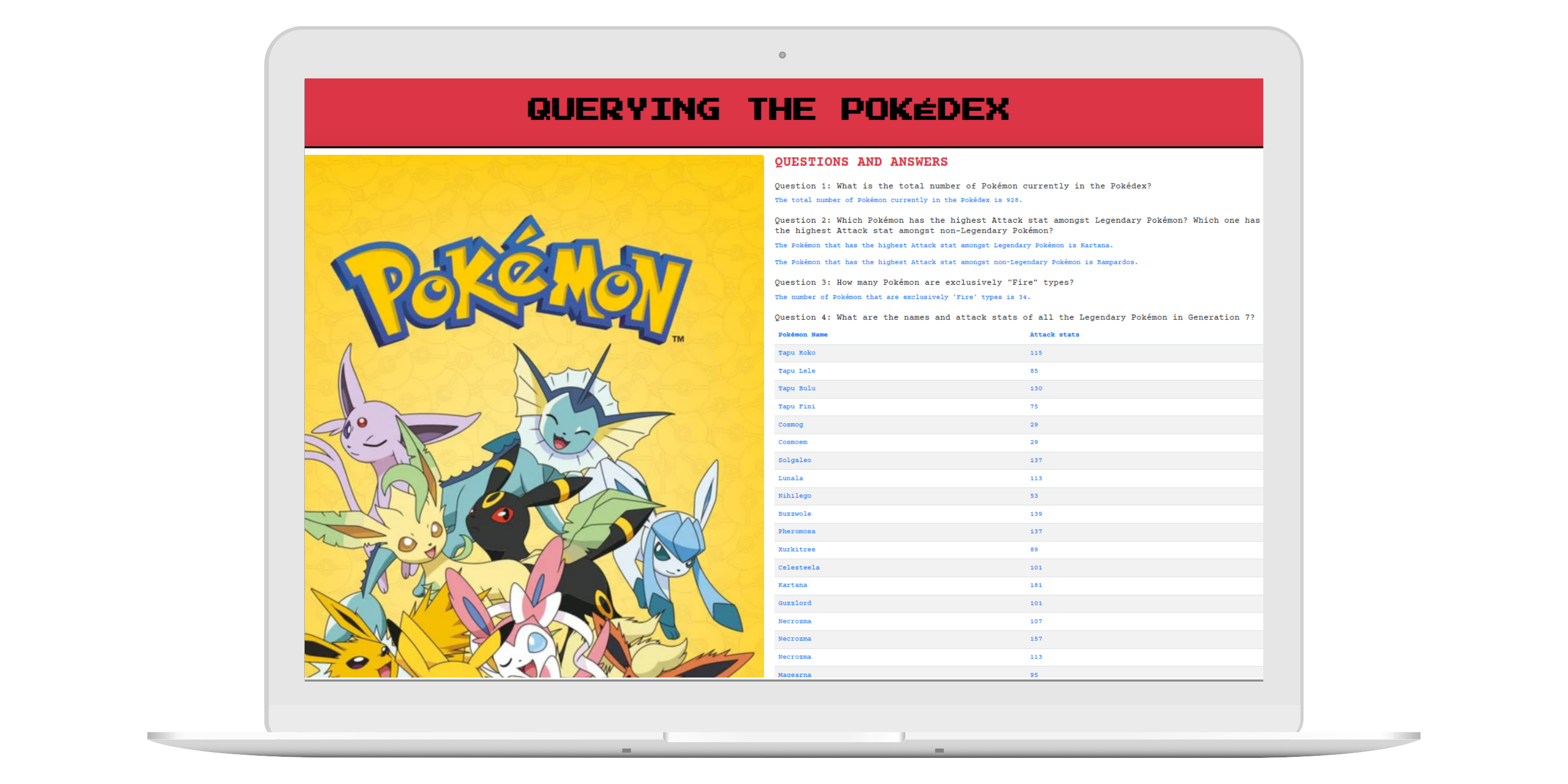
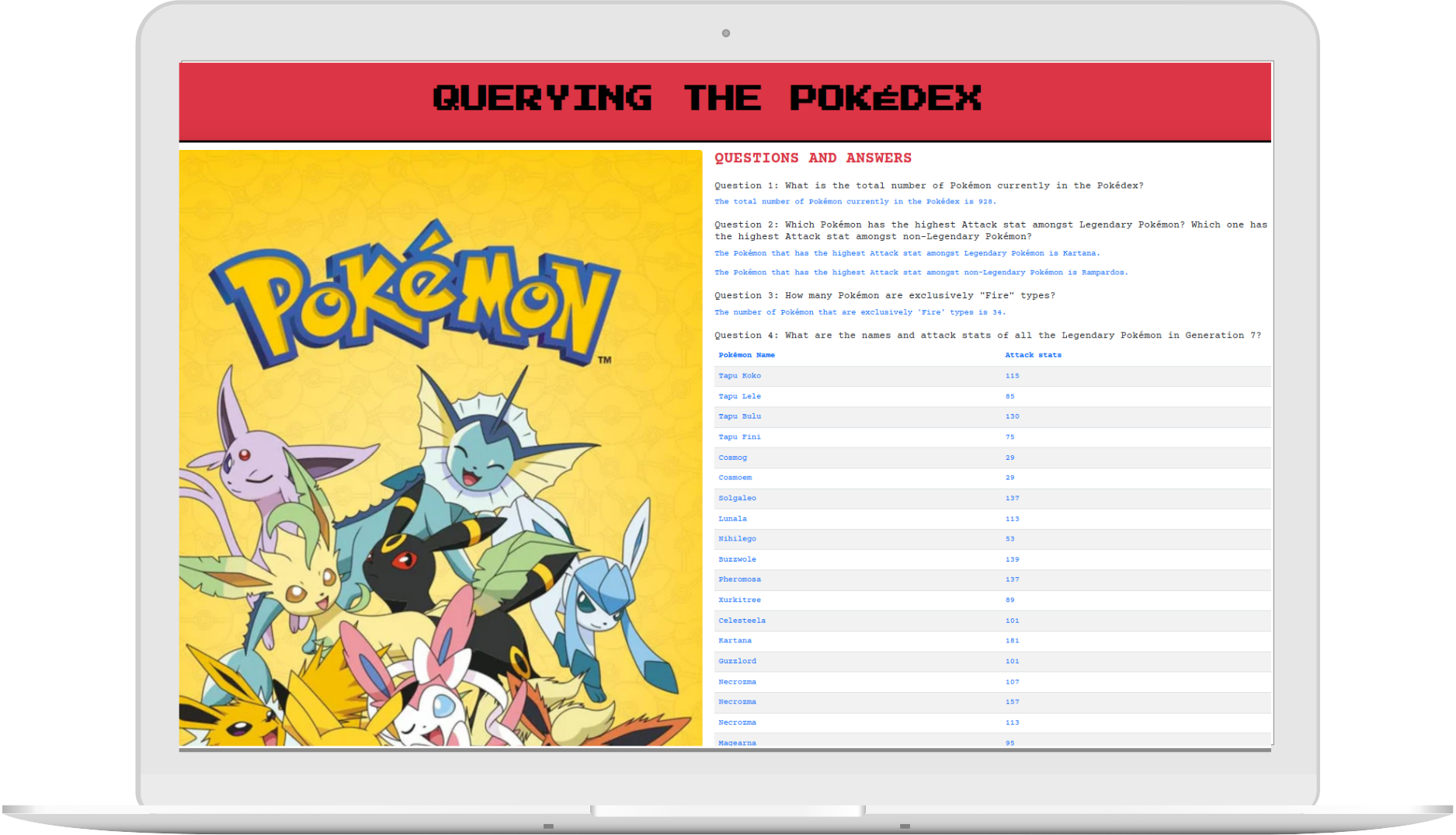
This individual project involved creating a Pokédex database to store Pokémon information. I designed and populated a database table, then used PHP to run SQL queries to retrieve, update, and manage Pokémon data. The project gave me hands-on experience with database management, including table creation, inserting records, updating stats, and displaying results dynamically on a web page.
- PHP and SQL Developer: I created the table in SQL and wrote PHP code to run queries and display results clearly.
- UI/UX Designer: I designed a simple, user-friendly website that works on all devices.
- MySQL: Created the table, defined columns, and set primary keys.
- PHP: Wrote code to run SQL queries and display results.
- HTML: Organized query results in clear tables and lists.
- Bootstrap: Styled the webpage for responsive, easy-to-read displays.
Challenges & Process: The main challenge was setting up the table with the correct data types and writing accurate SQL queries. I focused on getting the syntax right and tested each query to ensure it worked correctly.
Outcomes: This project helped me improve my skills in SQL database management and using PHP to interact with databases. These skills will be useful for future projects involving data management and retrieval.
Petal and Stem
Custom Functions & Form Validation
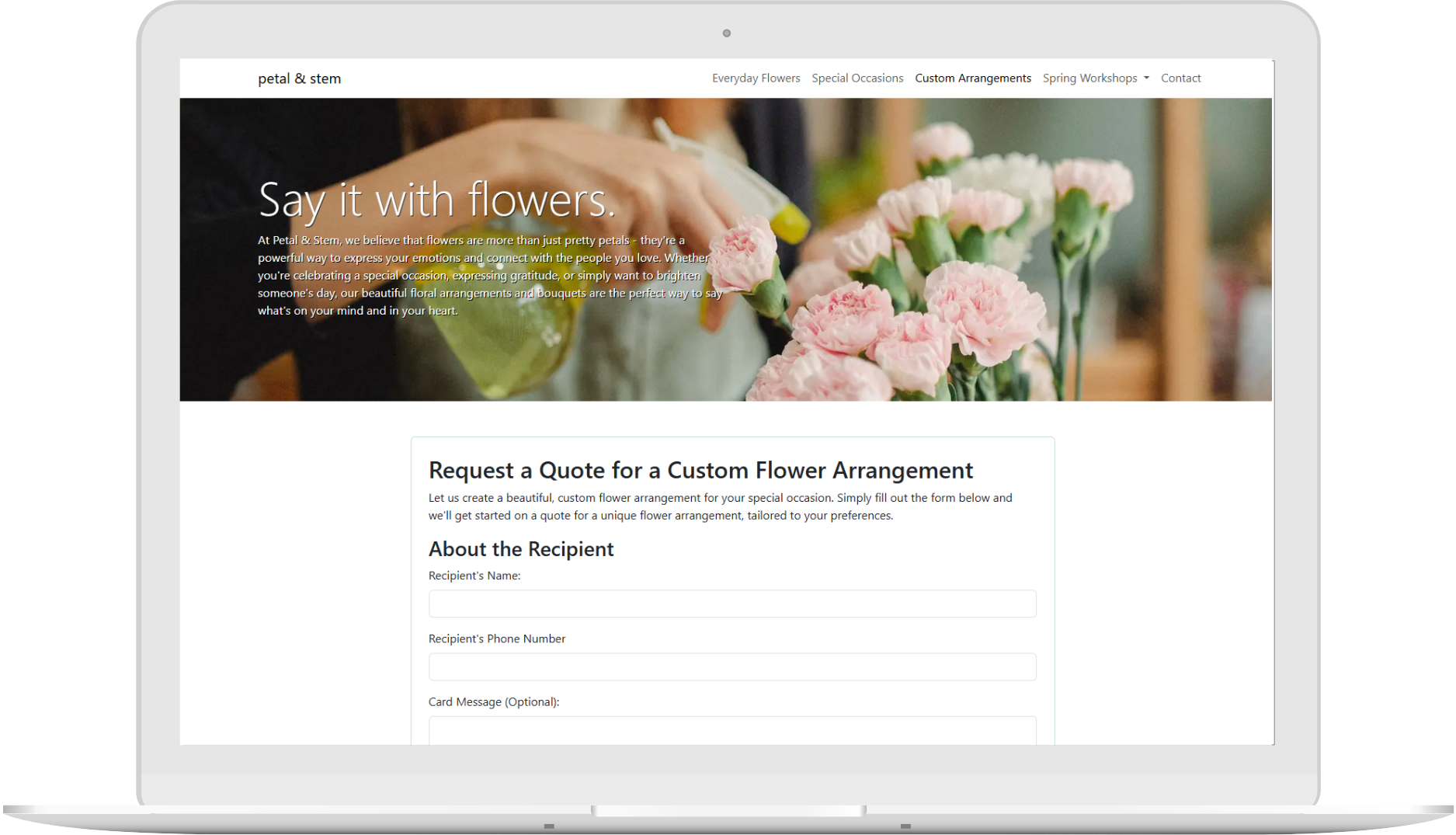
In this solo project, I built a website for a fictional flower shop called Petal & Stem. The main feature is a form where users can request quotes for custom floral arrangements. I focused on validating user input with PHP to ensure everything was entered correctly, like phone numbers, emails, and delivery dates.
- PHP Developer: I wrote the server-side scripts using PHP to validate the user's input. I used regular expressions to check if phone numbers, emails, and dates were in the right format.
- Web Developer: I created the form and ensured that if there were any mistakes, the user's input would be saved so they could fix it. I also made sure the website was secure and protected against attacks.
- HTML, Bootstrap: Used to design and style the form, making it easy for users to fill out.
- PHP & MySQL: Used to validate the form data and store it safely in a database.
Challenges & Process: The biggest challenge was making sure the form worked correctly and securely. I needed to check if all the data was correct and that no harmful data could be submitted. I used PHP to validate fields like phone numbers and delivery dates and made sure errors were clear for users to fix.
Outcomes: It helped me improve my skills in handling and validating form data securely. I learned how to use PHP to check user input and build forms that are easy to use and secure. These skills will be useful in future web projects.
Thistle and Thread
Responsive Navigation
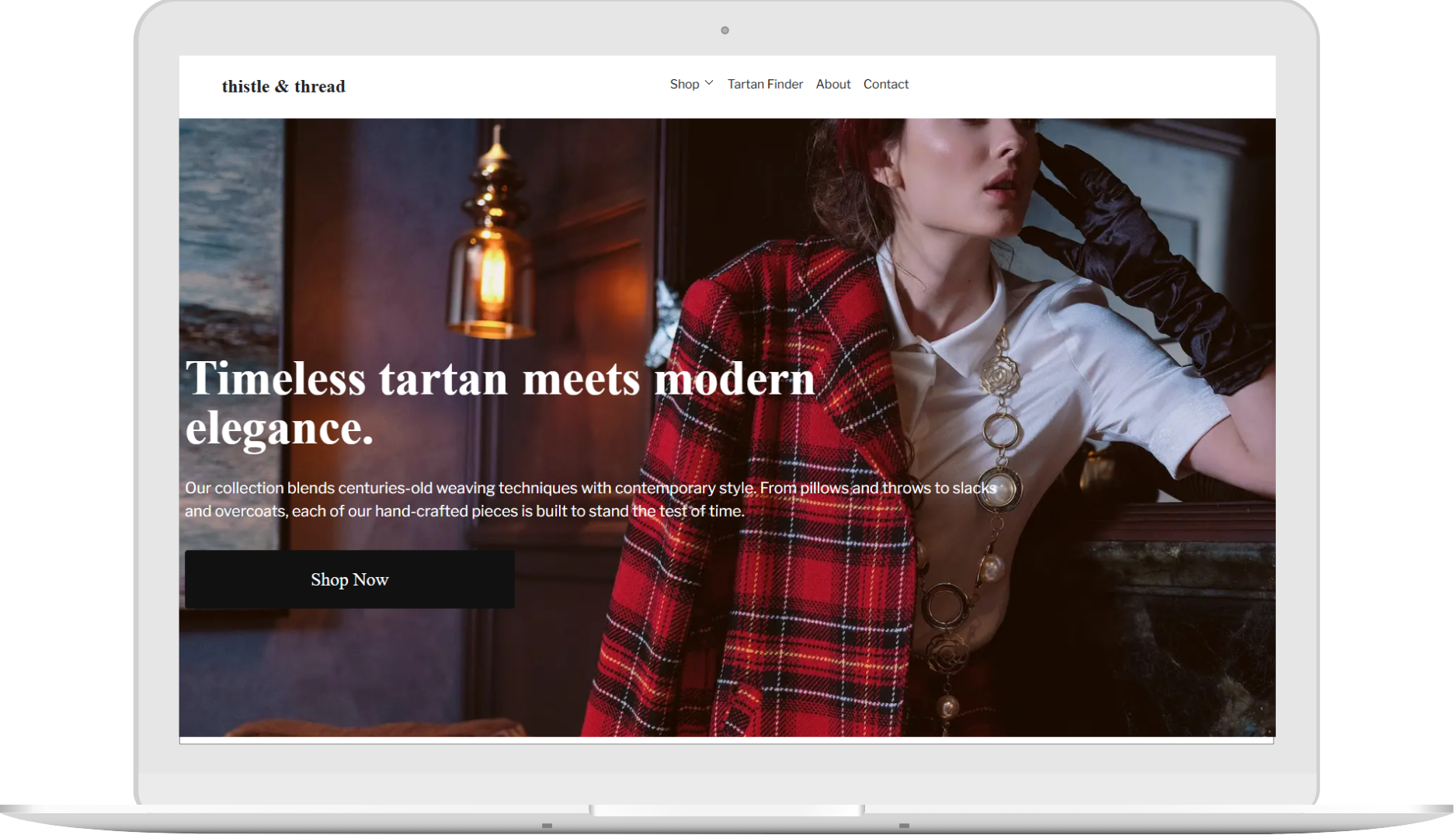
In this individual project, I created a responsive navigation menu for a website that works well on both desktops and mobile devices. I used CSS techniques like flexbox for layout, media queries for responsiveness, and a hamburger menu for mobile screens. I also worked with fonts, dropdown menus, and z-index to layer elements properly.
- Web Developer: Built the responsive navigation menu using flexbox, z-index, and dropdown-menu to ensure it worked on all screen sizes. I also added a hamburger menu for mobile users and styled the design with custom fonts.
- HTML, CSS: Used to build the layout, dropdown menus, and manage element positioning.
- JavaScript: Added interactivity to the hamburger menu for mobile devices.
- Responsive Web Design: Used media queries to adjust the layout for different screen sizes.
Challenges & Process: The biggest challenge was ensuring the navigation worked well on both large and small screens. I adjusted the layout using flexbox and media queries, styled the dropdown menus, and created a functional hamburger menu for mobile. I also used z-index to manage how elements stacked on the page.
Outcomes: I improved my skills in responsive design and CSS layout techniques, and learned how to create multi-level navigation and a hamburger menu for mobile. These skills will be useful in future web projects.
The Homestead Hub
Bootstrap Layout
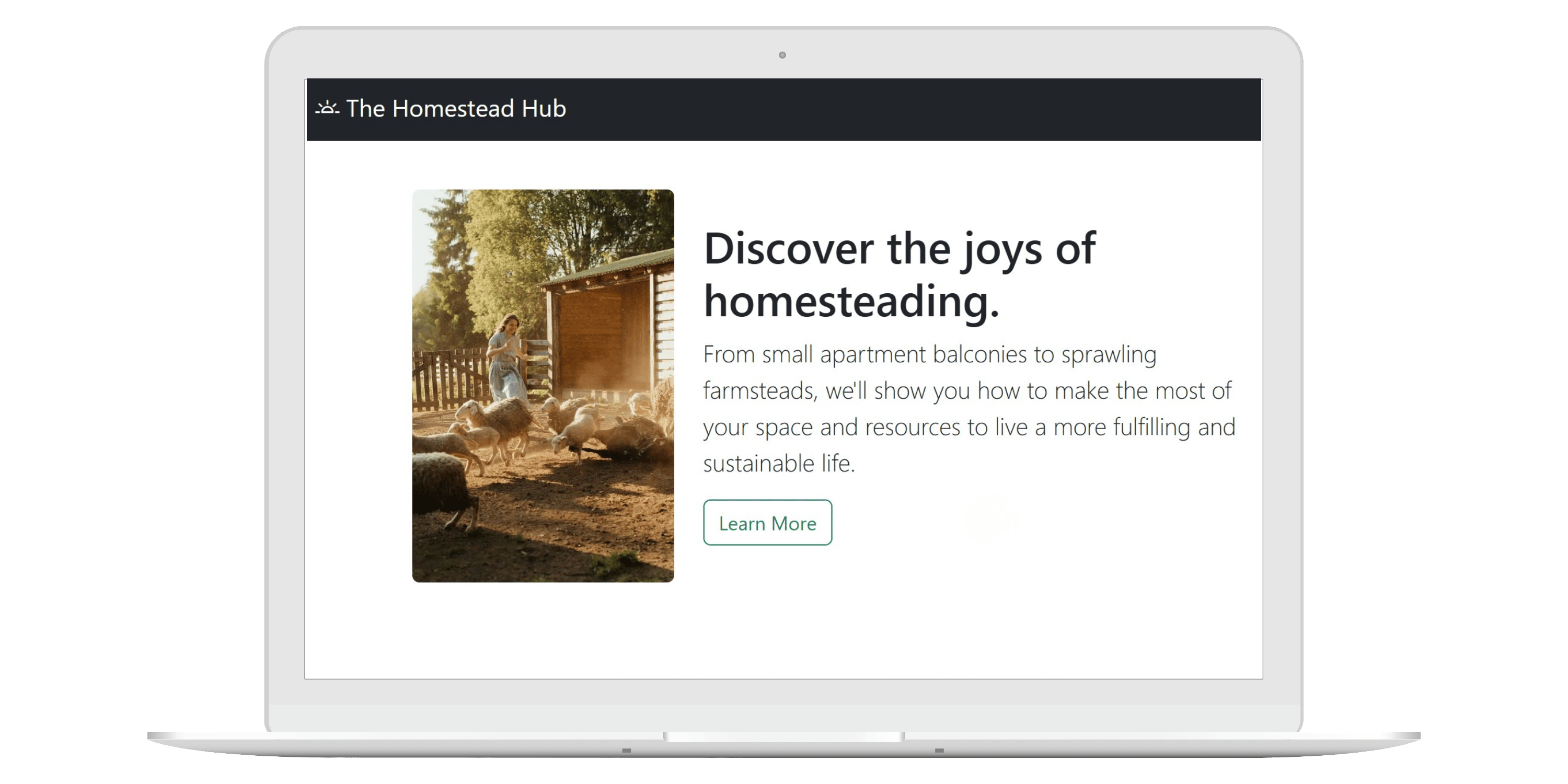
This solo project involved creating a webpage for a fictitious site using Bootstrap's grid system. The goal was to make a page that looks great and works well on desktops, tablets, and phones. I used Bootstrap's grid to split the page into rows and columns, ensuring it adapts to any screen size.
- Web Developer: Built the page layout using Bootstrap, organizing content into rows and columns for a responsive design across all devices.
- Bootstrap Grid: Used the grid system to create a responsive layout.
- HTML: Structured the basic page using HTML.
- Responsive Design: Ensured the page looks good and functions well on all devices.
Challenges & Process: The main challenge was making sure the content fit and looked good on all screen sizes. I adjusted the columns to resize properly and focused on keeping the design simple and mobile-friendly.
Outcomes: This project taught me how to use Bootstrap's grid system to build responsive pages. I now know how to organize a page with rows and columns and ensure it works well on any device. These skills will be helpful in future web development work.
FitnessTime
WordPress Hierarchy & Child Themes
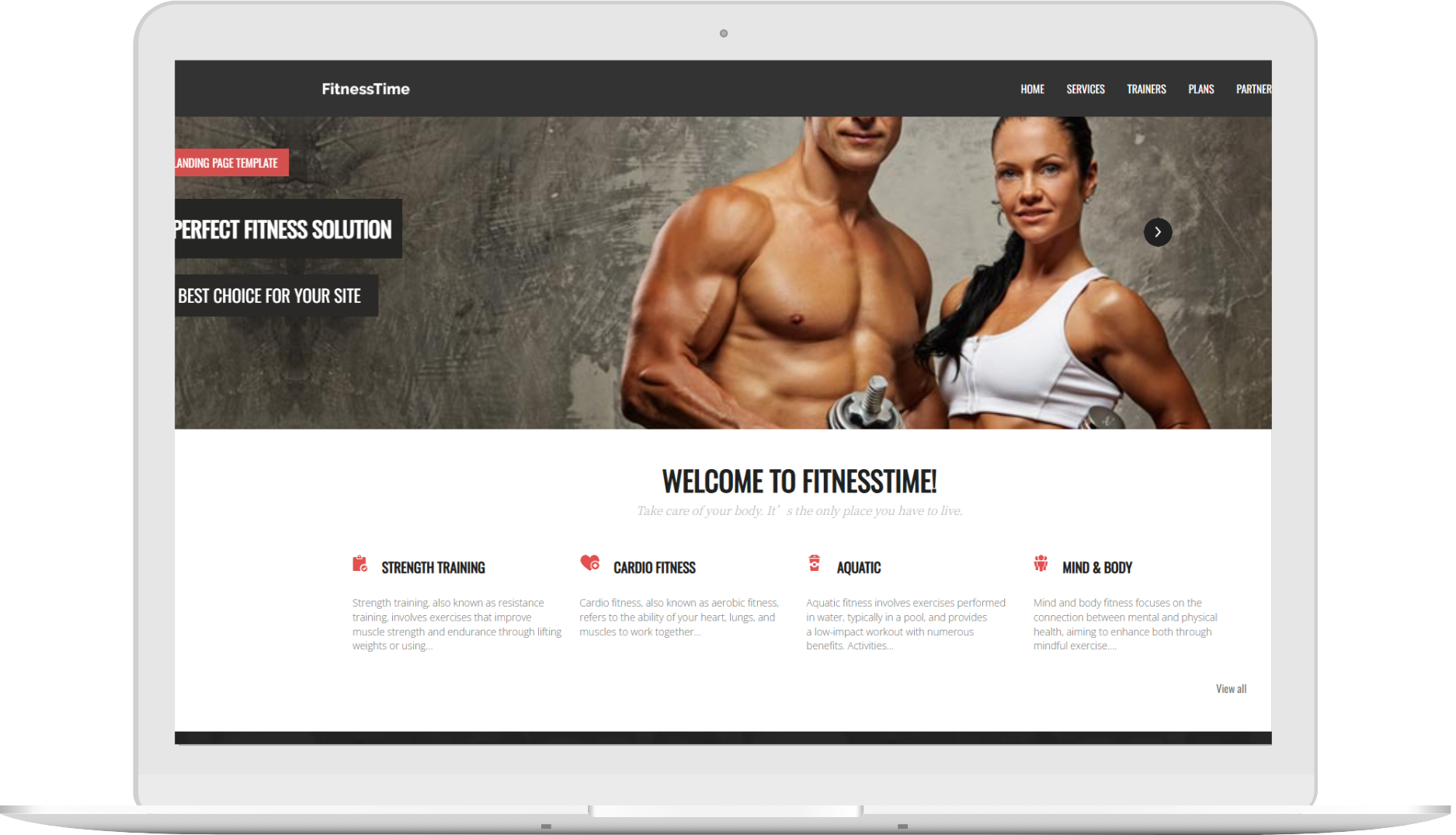
This is another individual project where I developed a Fitness Time Website for a local gym using WordPress, focusing on creating a user-friendly platform to manage , trainers, partners, and plans. The site was designed to be easily updated by the gym staff with no advanced technical knowledge.
- WordPress Developer: Built the website using a child theme, enabling easy updates and customization.
- UI/UX Designer and Web Developer: Created a responsive, user-friendly design optimized for all devices.
- WordPress (Hierarchy & Child Themes): Set up a child theme for easy maintenance.
- WordPress Posts, Categories & Tags: Organized content to allow easy updates by staff.
- CSS: Applied custom styles for a personalized look.
Challenges & Process: The main challenge was ensuring ease of use for non-technical staff. I structured the site around WordPress posts, categories, and tags to make updates simple via the dashboard, without needing to touch any code.
Outcomes: This project strengthened my WordPress and design skills, resulting in a user-friendly website that the gym can easily manage. The gym now has a site that's easy to maintain and offers a smooth experience for both staff and clients.
Fashion Avenue
WordPress Website
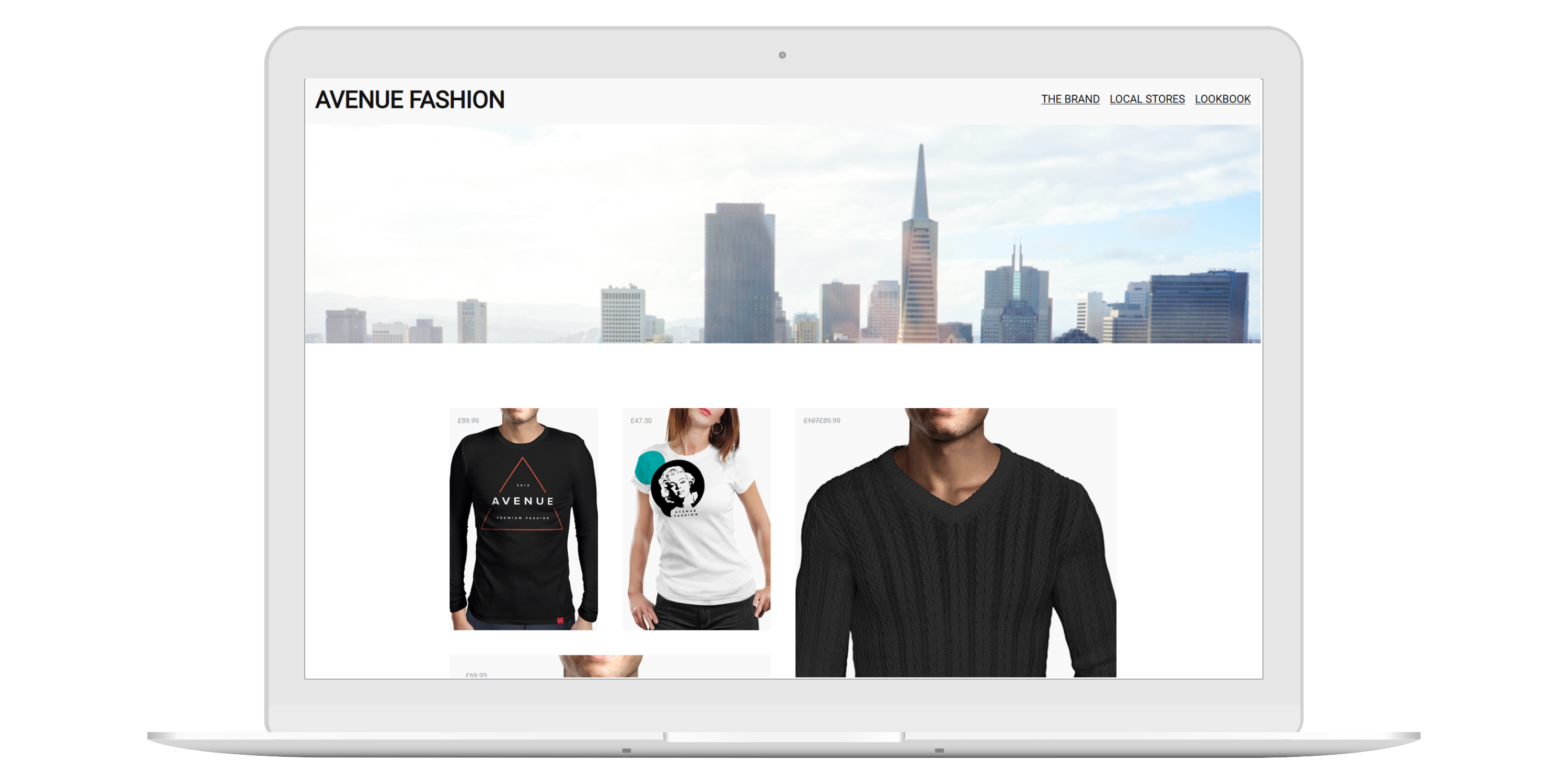
Fashion Avenue is a custom WordPress website developed as part of a structured site-building project. The goal was to configure WordPress properly and build multiple pages that maintain consistent branding and functionality across the site. The project focused on layout consistency, navigation structure, and form integration while following WordPress best practices.
- Web Developer: Configured WordPress settings, customized the header and footer, and ensured a consistent site design. I built and styled the front page and additional pages, including embedding a Google Map on the Local Stores page. I implemented and styled a registration form using a WordPress plugin and created a custom footer-linked page, maintaining visual and functional consistency across the site.
Treasure Nest
WordPress Website
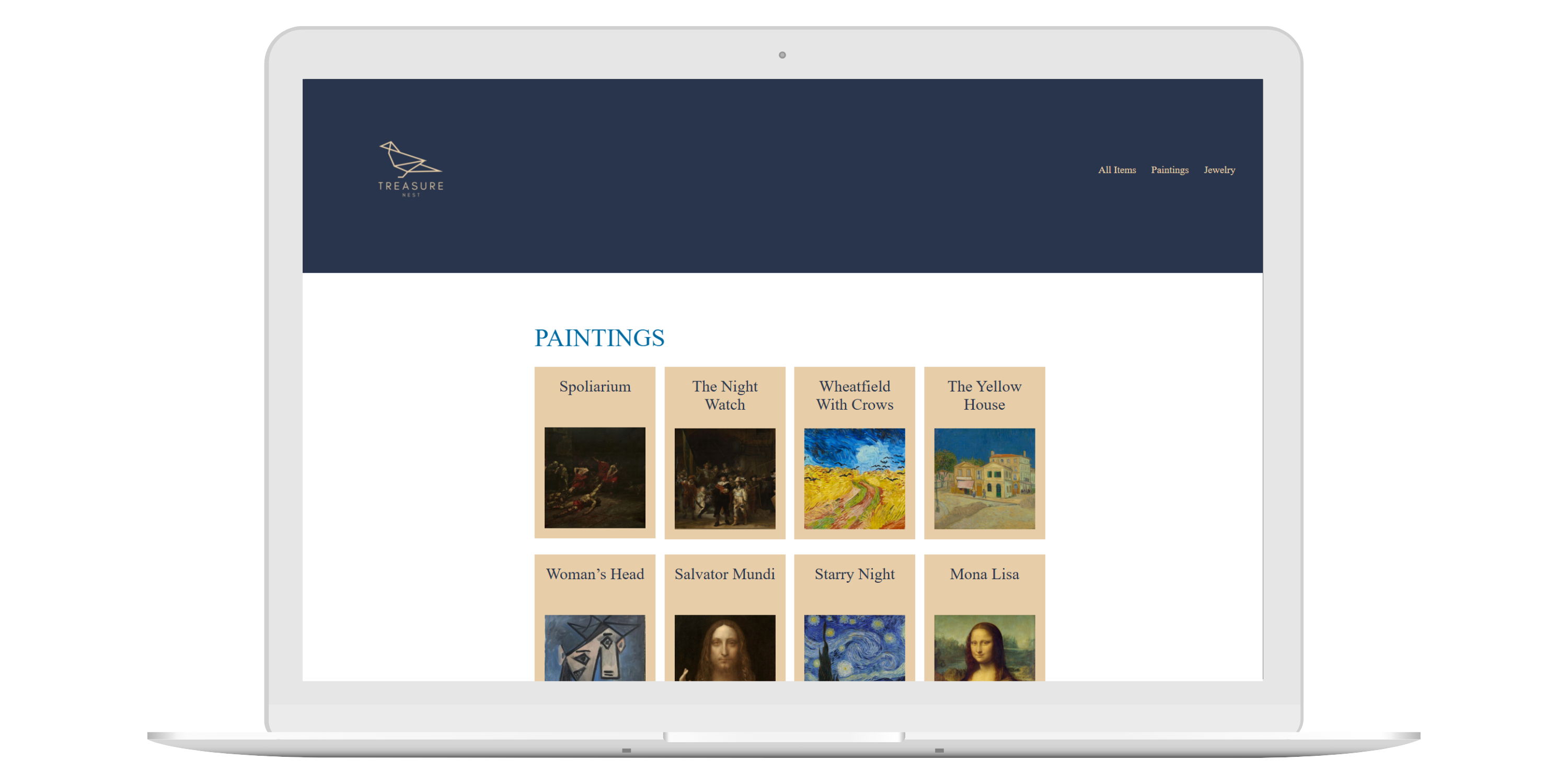
Treasure Nest is a custom WordPress inventory management system designed for organizing valuable possessions for insurance assessment. The site features two custom post types—Paintings, and Jewelry. Each with tailored fields and templates. The project emphasizes structured data management using Advanced Custom Fields (ACF), dynamic content display, and clean, user-friendly design.
- Web Developer: Designed and developed a custom WordPress system using ACF and custom post types. Built reusable templates for displaying structured data, ensured correct field usage per item type, and implemented dynamic query loops for organized content display. Focused on usability, clean layout, and adherence to WordPress best practices.
More Projects
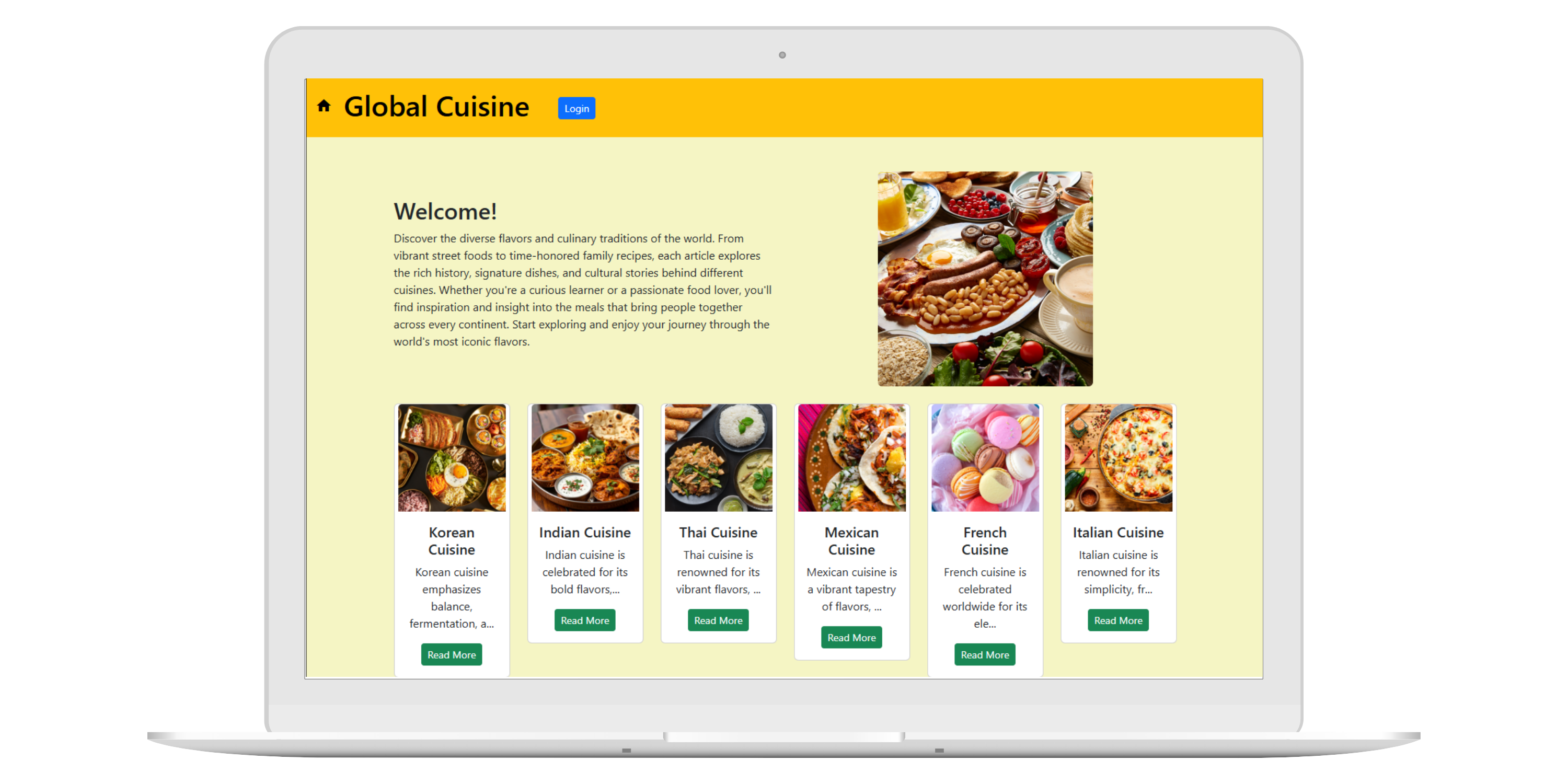
Global Cuisine is a project I did with full MVC web application built using the CodeIgniter framework. This project demonstrates CRUD operations, authentication with Ion Auth, relational database implementation, image upload and resizing, and proper application security. Users can browse cuisine articles from around the world. Registered users can create, edit, and delete their own articles, while guests can view all published content.
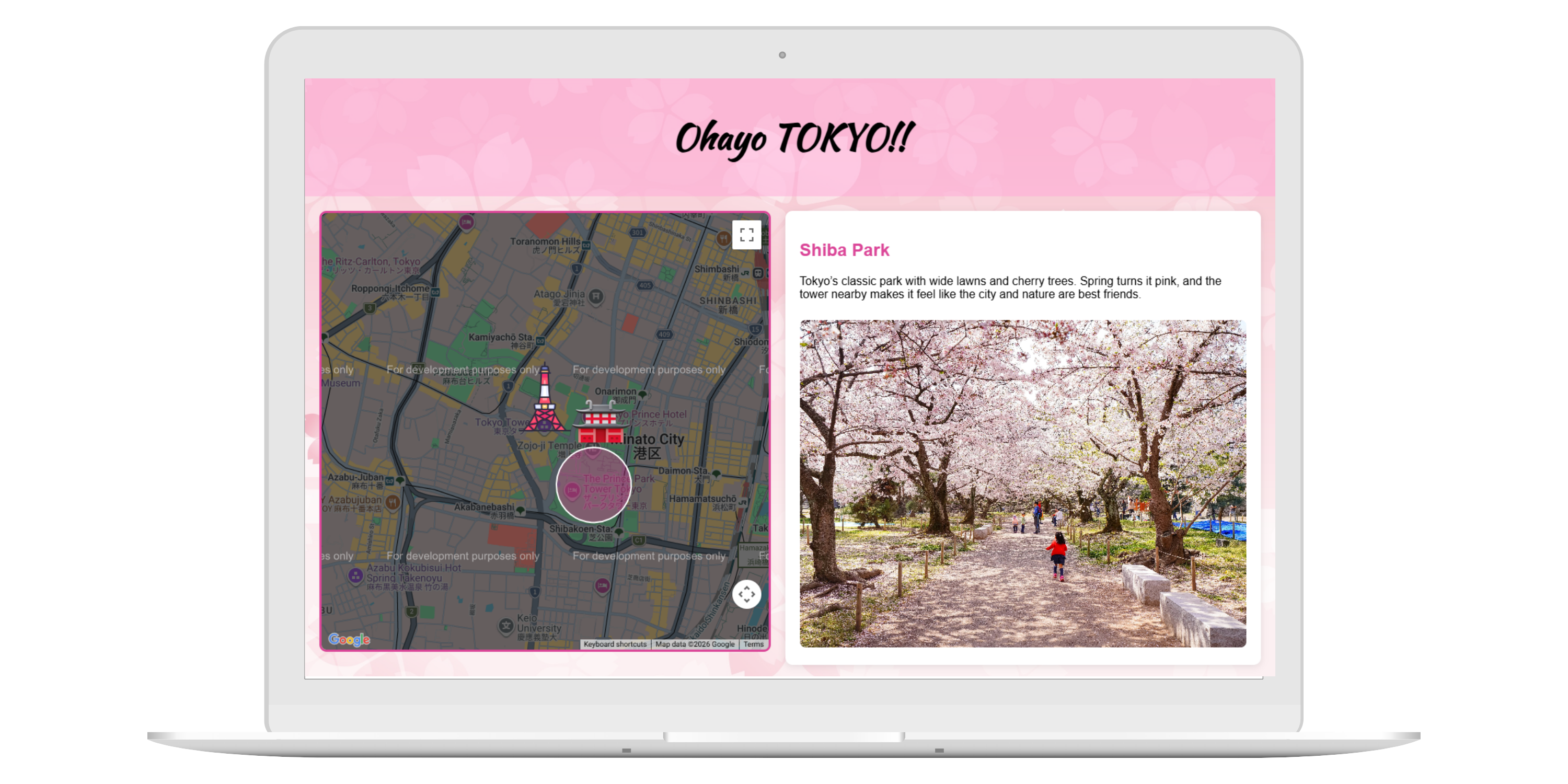
This project demonstrates the use of the Google Maps JavaScript API to create interactive, dynamic maps integrated into a custom web layout. The project showcases multiple map types, custom markers, infowindows, shapes, and overlays with event-driven interactivity. All features are original and designed to provide a clean, user-friendly interface with real-world locations.
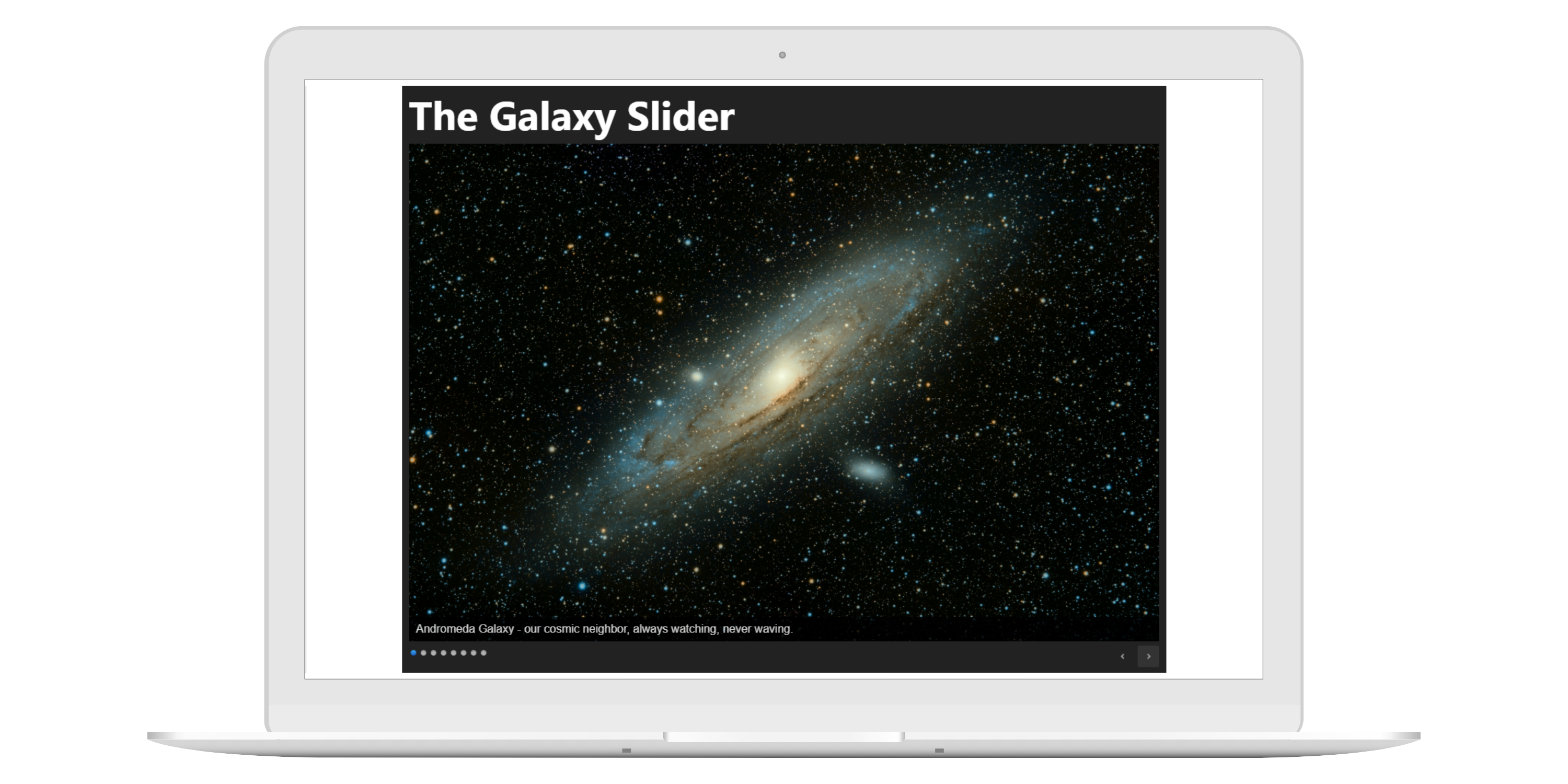
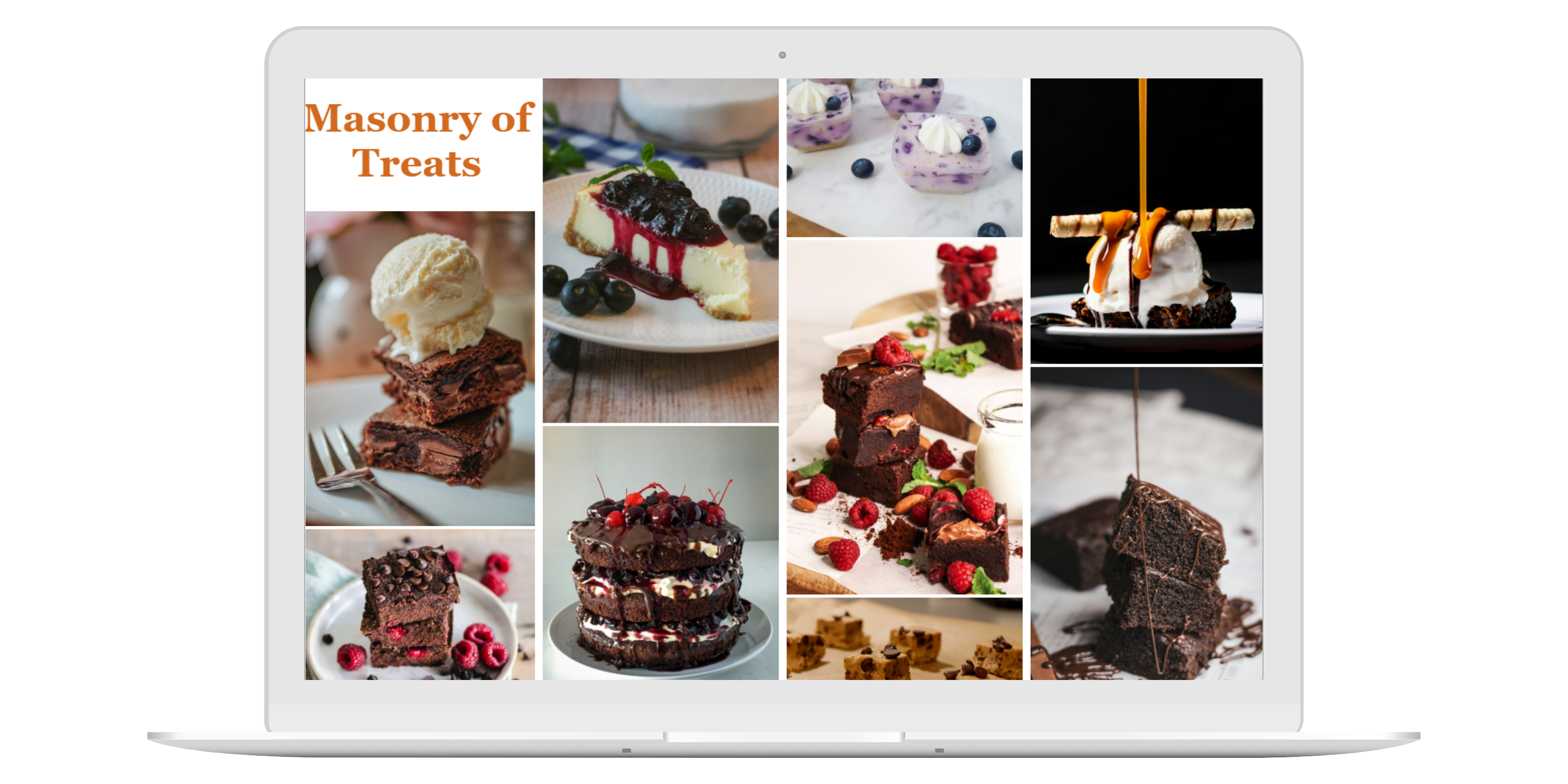
Dynamic Layout - Created a Masonry of Treats. Responsive and fluid — items rearrange automatically on window resize
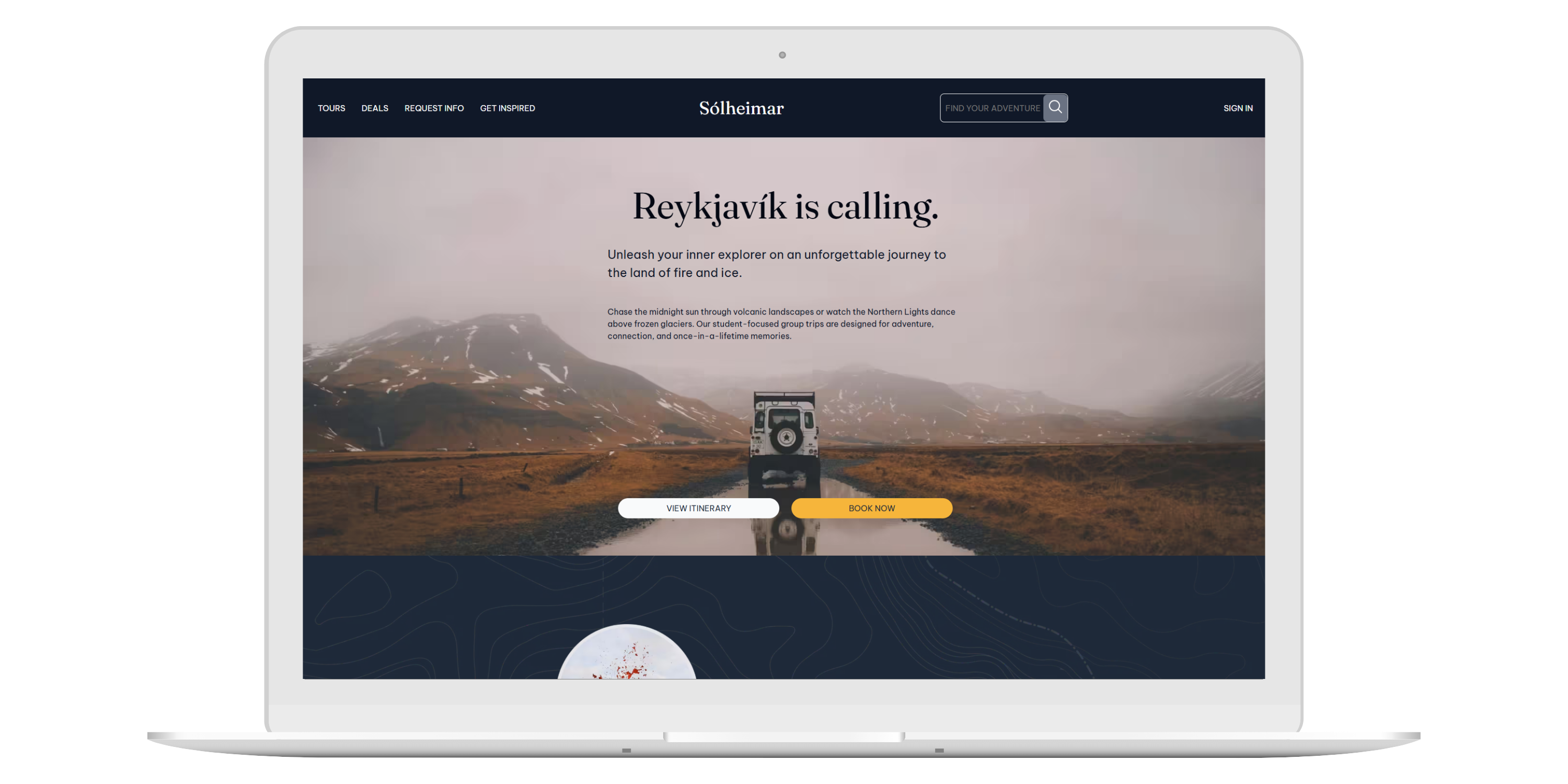
This project is a responsive website built from a design composition using Intrinsic Web Design principles. The layout adapts smoothly from mobile to desktop, with clear typography, optimized images, and well-structured content using Flexbox and Grid. The design closely matches the original composition and demonstrates solid responsive coding practices.
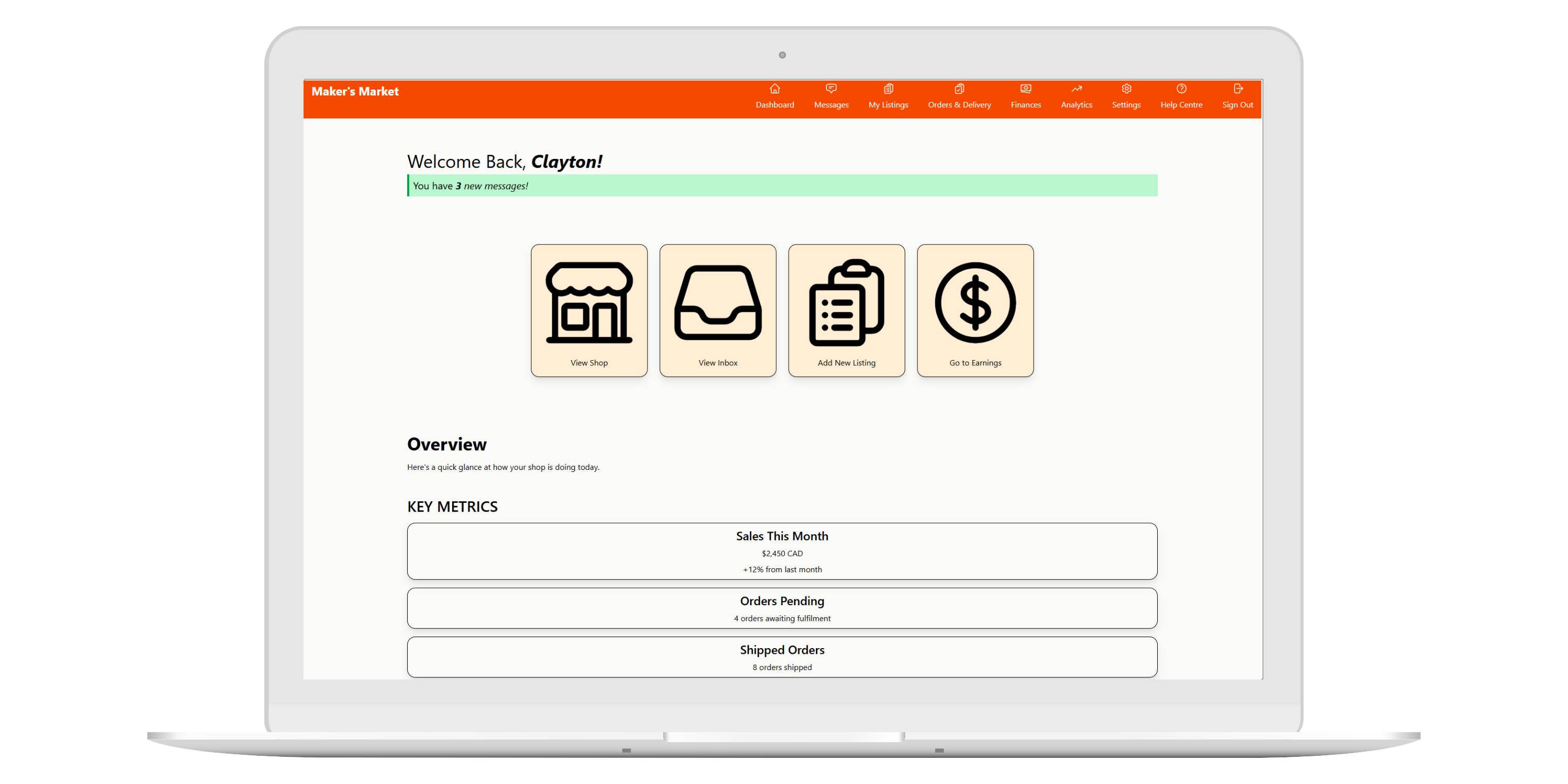
This project is a completed one-page dashboard that clearly presents all required information and functionality. It features a user-friendly layout with strong visual hierarchy for easy navigation and is built entirely with Tailwind CSS. The design is fully responsive, ensuring smooth performance across all devices.
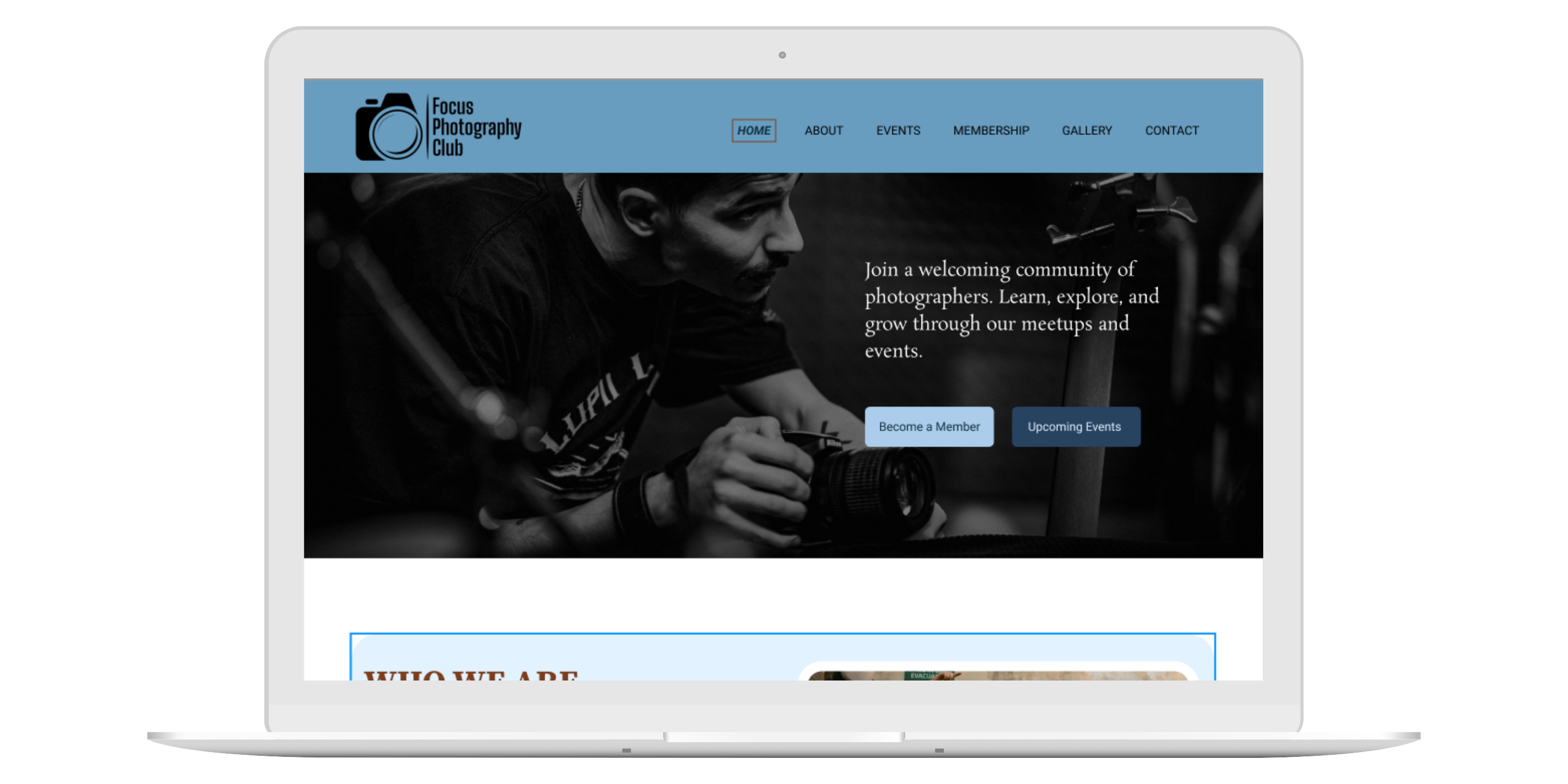
Focus Photography Club is a landing page designed around a clear client brief. It has a strong main focus, clear call-to-action, and highlights key content to draw users in. The layout follows solid design and typography principles, with good hierarchy, spacing, and color use. The design works across different screen sizes and is supported by an organized Figma file, grid system, and complete style guide.
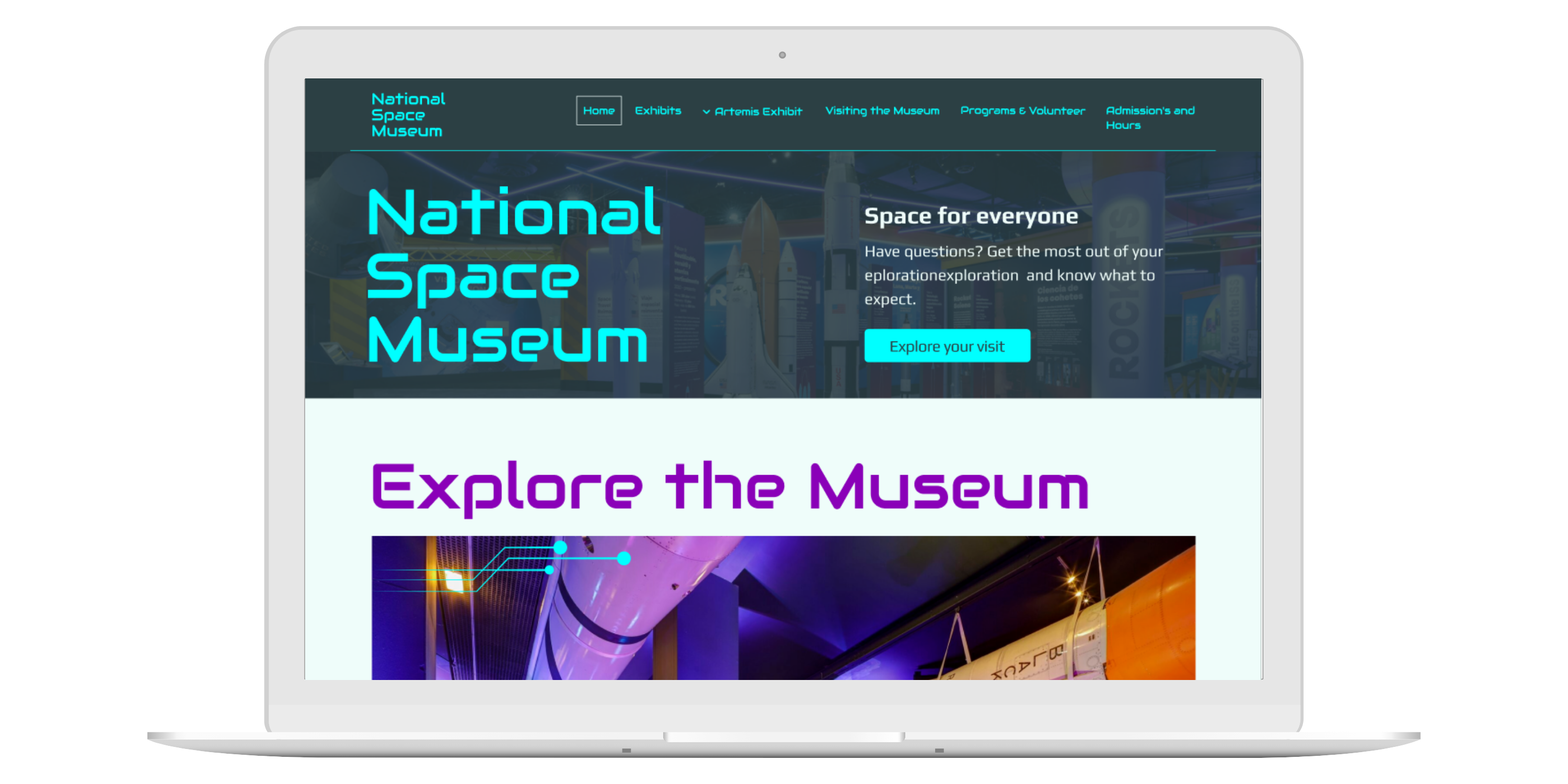
This project is a Figma website design for the National Space Museum. It has a clear visual direction, organized layouts with a grid system, and consistent typography. The design is creative, detailed, and works well across all screen sizes.
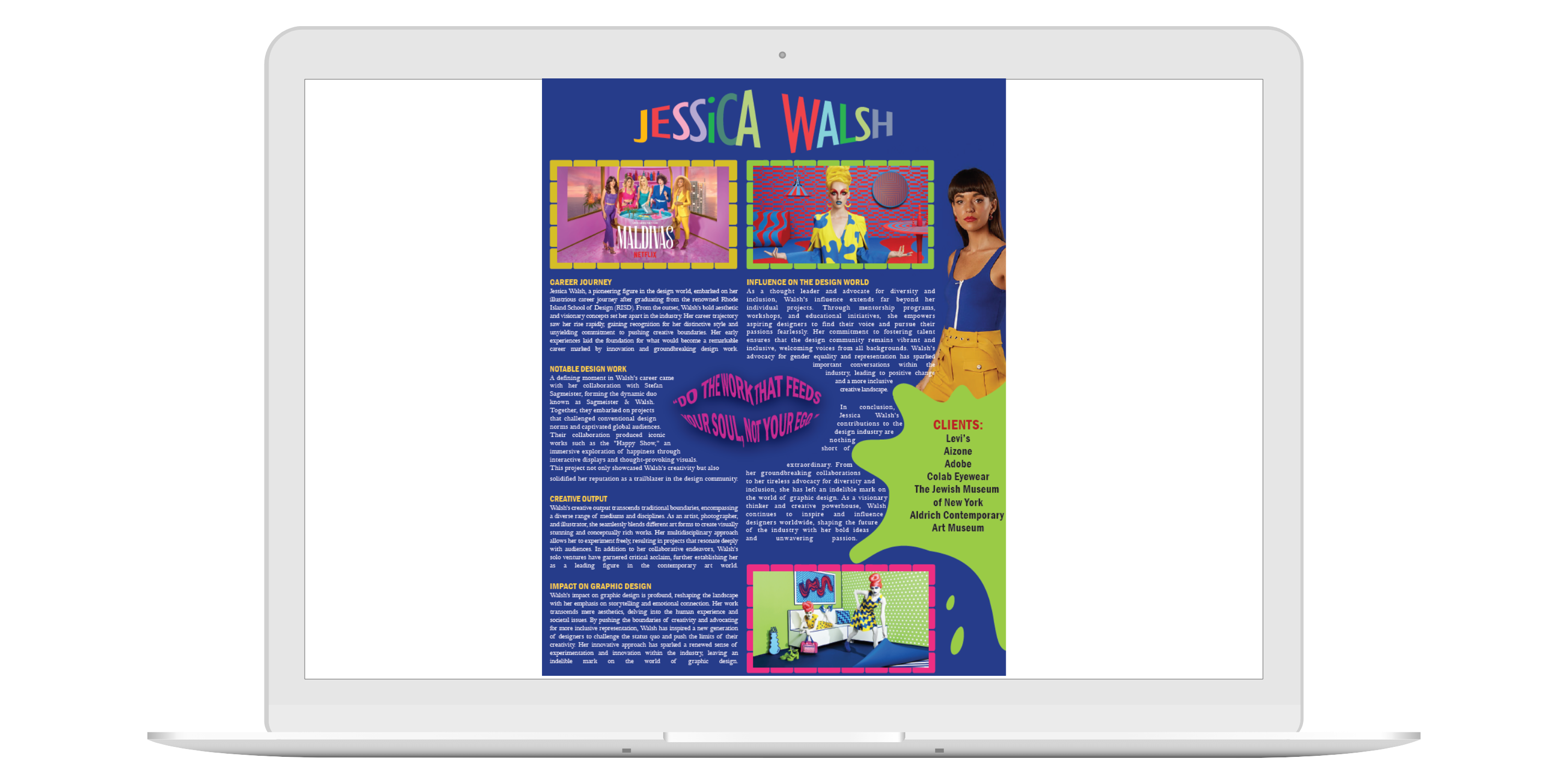
This project is a one-page feature layout created in Illustrator showcasing Jessica Walsh. It highlights her biography, artwork, and clients while reflecting her bold, vibrant style. The design uses color, typography, and composition inspired by her manifesto and signature creativity, capturing her personality and approach to design in a visually engaging way.
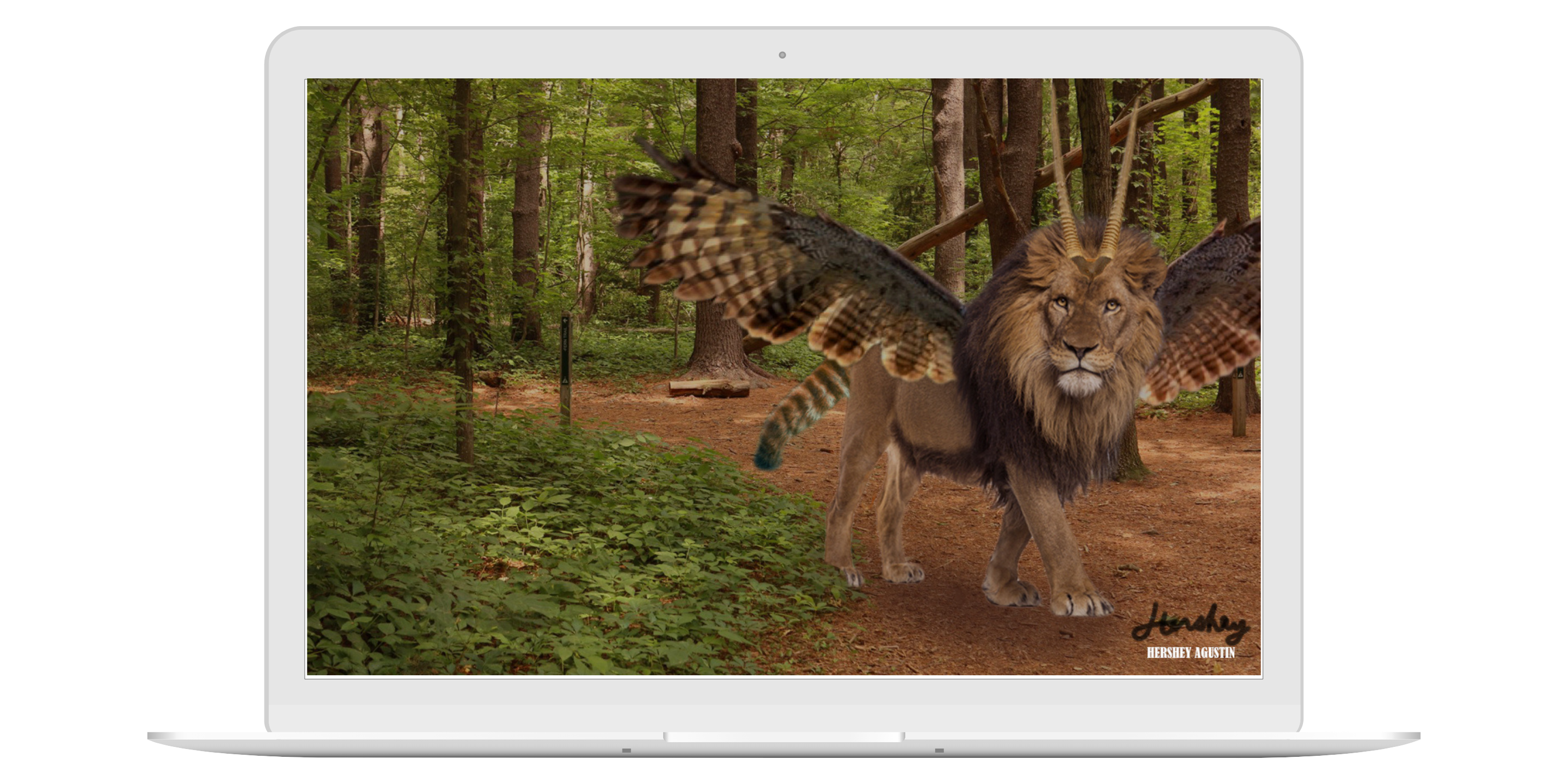
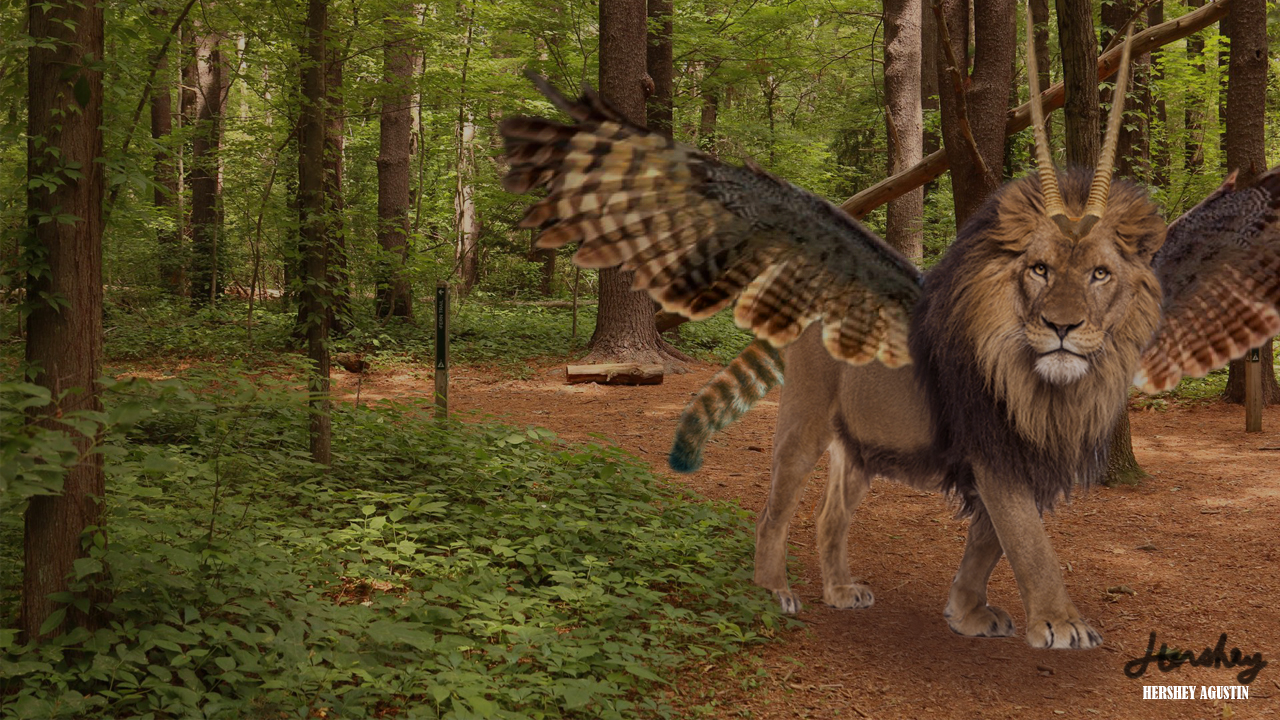
For this project, I created a full-color composite of a mythical creature as part of an image manipulation assignment. The main requirement was to incorporate a red panda tail and place the creature in a fully developed background environment. I combined multiple source images and used layering, masking, and color adjustments to blend everything into one cohesive scene. My focus was on making the creature feel believable within its setting, with consistent lighting and color throughout. All layers were carefully organized and the final piece was signed as an original composition.
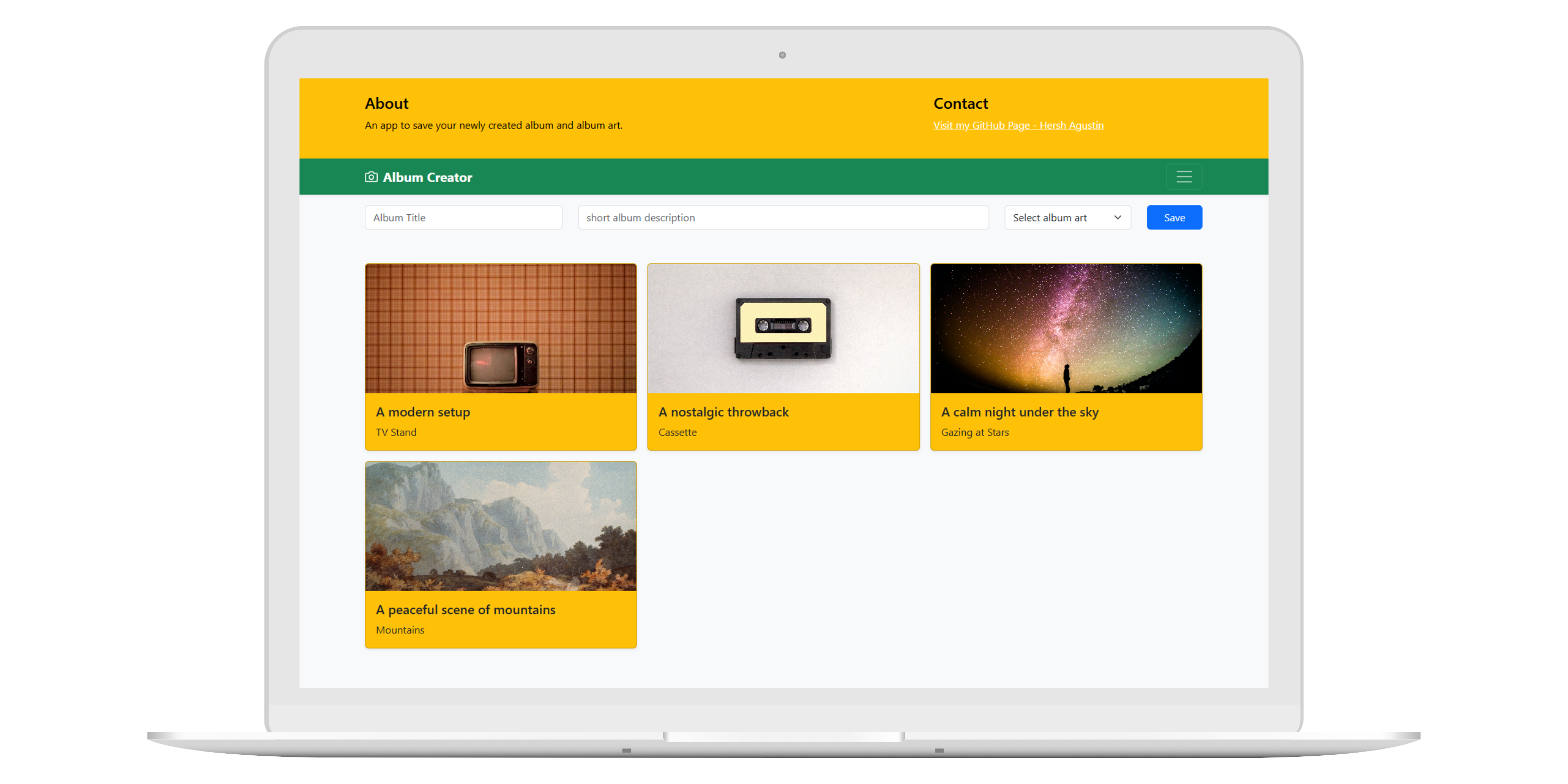
Album Creator is a small web app that lets users create album cards by filling out a form with a title, description, and cover art image.
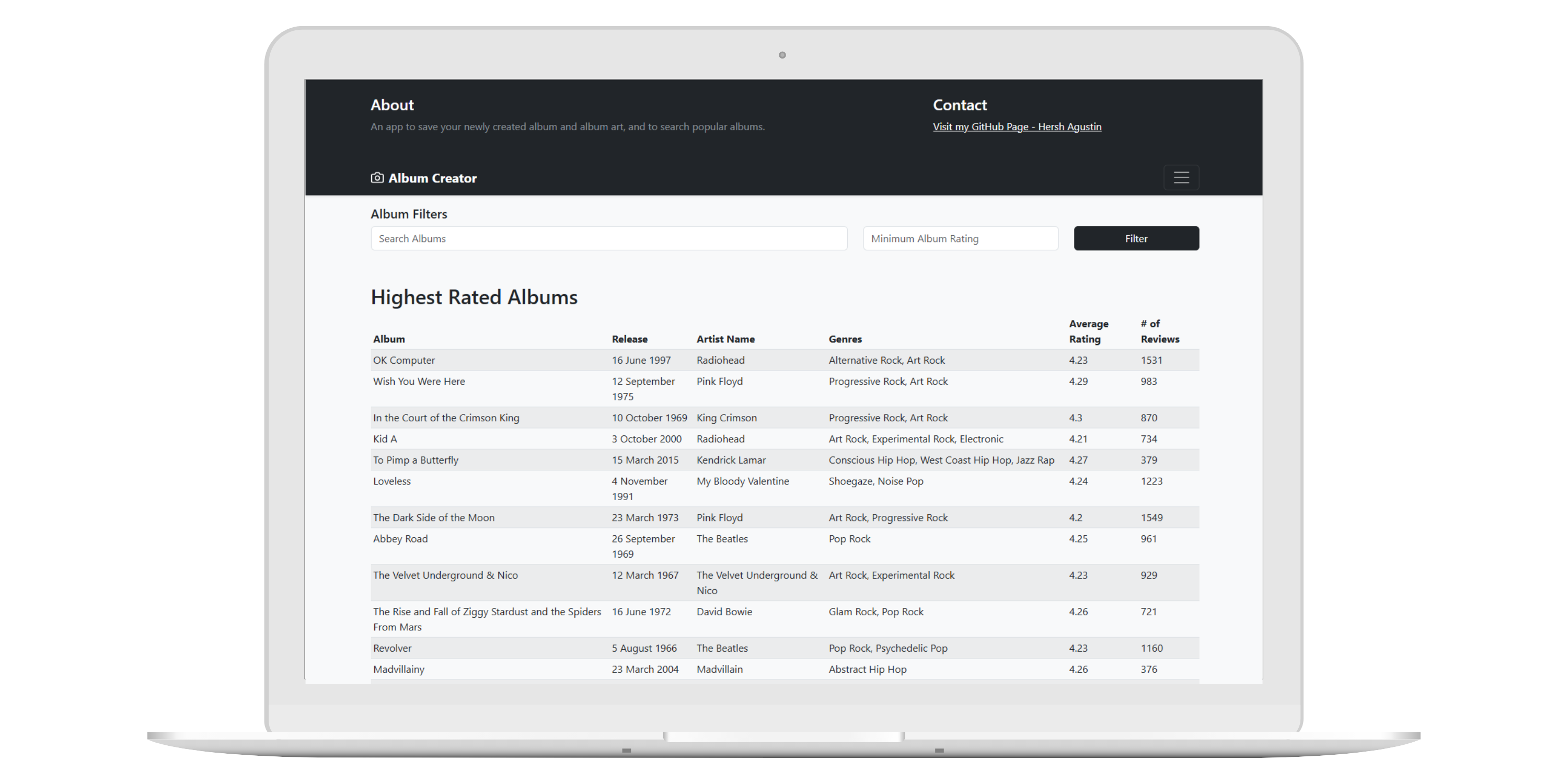
This project is a web application that loads album data from a JSON file, displays it in a table, and allows the user to filter the data by artist, album name, or minimum rating. The assignment focuses on using fetch, arrays, objects, templating, and form events to manipulate the DOM.
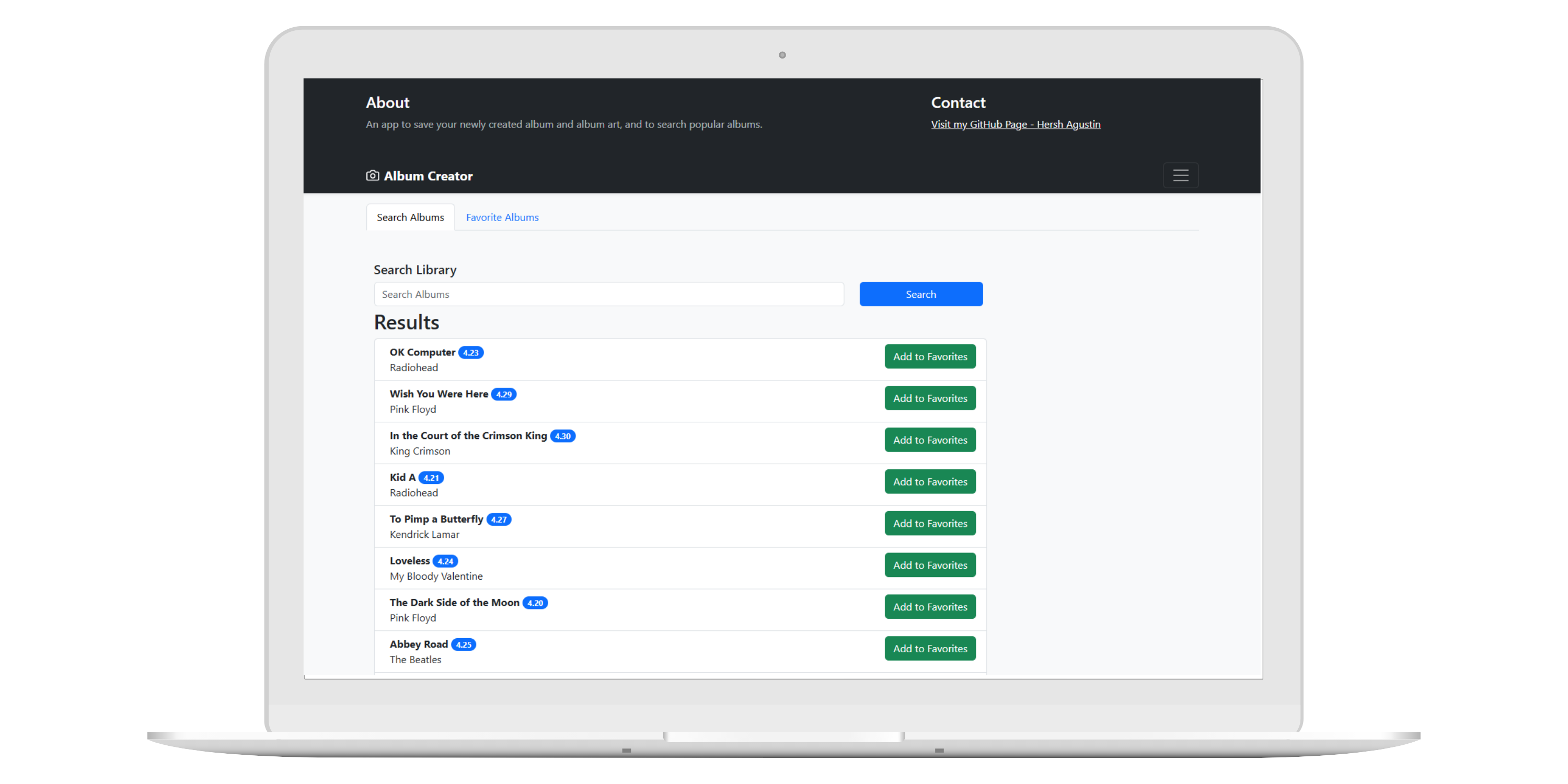
This project is a small web application that allows users to search for albums and save their favorites. It uses a Mock API service along with the Fetch API to make GET, POST, and DELETE requests.